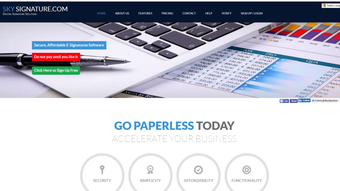


Download SkySignature – Secure Digital Signature Tool for Windows, Mac, Android & iOS
Overview
In today’s fast‑paced business world, the ability to sign documents electronically is no longer a luxury—it’s a necessity. SkySignature steps into this arena as an efficient, user‑friendly software that lets professionals create stunning digital signatures without any prior graphic‑design experience. The application’s core promise is simplicity: upload a handwritten signature, drag‑and‑drop it onto any document, and instantly generate a secure PDF that preserves the original formatting.
What sets SkySignature apart from the crowd is its “triple encryption” protocol, guaranteeing that sensitive data stays locked away from unauthorized eyes. In addition, the tool bundles audit‑trail features, allowing users to track when a document was sent, when the signature was verified, and even fill out PDF forms on the fly. Whether you’re a lawyer finalising a contract, a HR manager approving an employment offer, or a freelancer delivering an invoice, SkySignature offers a reliable, secure, and hassle‑free way to add a professional signature to any file.
The software supports virtually every common document format—Word, Excel, PowerPoint, images, and more—converting everything into a final PDF that retains the original layout and metadata. Its intuitive interface, built‑in templates, and cross‑platform compatibility make it a go‑to solution for anyone looking to modernise their signing workflow while keeping data protection at the forefront.
Key Features & Tools
- Drag‑and‑Drop Signature Placement: Upload a scanned signature or draw one with a stylus, then simply drag it onto the desired spot in the document.
- Triple Encryption Security: Three layers of AES‑256 encryption protect both the signature image and the final PDF from tampering.
- Universal Document Compatibility: Works with DOC, DOCX, XLS, XLSX, PPT, PPTX, JPG, PNG, and more; all outputs are high‑quality PDFs.
- Built‑In Auditing Dashboard: View timestamps for when a document was sent, signed, and verified, providing a clear audit trail for compliance.
- PDF Form Filler: Fill out interactive PDF fields directly within SkySignature, eliminating the need for separate form‑filling software.
- Template Library: Choose from pre‑designed signature skins (classic ink, modern brush, corporate seal) to match your brand style.
- One‑Click PDF Generation: After insertion, the software instantly creates a locked PDF that preserves layout, fonts, and images.
- Cross‑Platform Sync: Cloud‑based storage lets you access your signature library from Windows, macOS, Android, and iOS devices.
Each feature has been crafted with the non‑technical user in mind. The drag‑and‑drop engine removes the learning curve typically associated with graphic‑design tools, while the encryption and audit functionalities address the security concerns of legal and financial professionals. Moreover, the integrated PDF form filler reduces the number of steps required to complete a contract, saving both time and potential errors. Whether you need to sign a single contract or batch‑process hundreds of invoices, SkySignature scales to meet the workload without sacrificing performance or security.
Installation & Usage Guide
Step‑by‑Step Installation
- Visit the official SkySignature website and click the Download button that matches your operating system (Windows, macOS, Android, iOS).
- Run the installer file (EXE for Windows, DMG for macOS, APK for Android, or the App Store link for iOS).
- Follow the on‑screen prompts: accept the license agreement, choose the installation folder, and click “Install”.
- When the installation completes, launch SkySignature and create a free account using your email address or sign in with Google/Apple ID.
- Verify your email via the confirmation link sent to your inbox; this step activates the triple‑encryption module.
How to Create and Insert a Signature
- In the dashboard, click “Add New Signature”. You can either upload a scanned image (PNG, JPG) or use the built‑in drawing canvas to create a fresh signature.
- Choose a signature skin from the template library, then name the signature for easy retrieval (e.g., “John Doe – Ink”).
- Open the document you wish to sign by dragging it onto the workspace or using the “Browse Files” button.
- Locate the signature placeholder within the document preview. Drag your saved signature from the side panel and drop it onto the placeholder.
- Adjust size and rotation using the on‑screen handles, then click “Secure PDF”. SkySignature encrypts the file, adds the audit metadata, and saves the final PDF to your chosen folder or cloud storage.
The entire workflow typically takes under two minutes for a single document, making it ideal for busy professionals. For batch operations, SkySignature offers a “Multi‑Document Sign” mode where you can queue up to 50 files, apply the same signature automatically, and export all PDFs in one click. The user interface is built with accessibility in mind, featuring high‑contrast icons, keyboard shortcuts, and screen‑reader support. After signing, you can share the encrypted PDF directly via email, upload to a document‑management system, or export to a USB drive—each option preserving the encryption and audit trail.
Compatibility & System Requirements
SkySignature is designed to run smoothly on the most common desktop and mobile platforms. Below are the minimum and recommended specifications for each OS:
- Windows 10/11 (64‑bit): 2 GB RAM, 500 MB free disk space, .NET Framework 4.8, Intel i3 or equivalent processor.
- macOS 10.15 Catalina or later: 2 GB RAM, 500 MB free disk space, Apple Silicon (M1/M2) or Intel Core i3.
- Android 8.0 (Oreo) or later: 1 GB RAM, 150 MB free storage, Google Play Services installed.
- iOS 13 or later: 1 GB RAM, 150 MB free storage, iPhone 6S/SE or newer, iPad Air 2 or newer.
The software integrates with popular cloud services such as Google Drive, Dropbox, and OneDrive, allowing you to pull documents directly from the cloud and push signed PDFs back without leaving the app. Because all processing happens locally (except optional cloud sync), your data never leaves your device unless you explicitly choose to back it up, aligning with the triple‑encryption security model. For enterprise deployments, administrators can use the provided .msi (Windows) or .pkg (macOS) installer to push SkySignature across multiple machines, and configure centralized policy controls via the admin console.
Pros, Cons & Frequently Asked Questions
Pros
- Extremely easy to use – no graphic‑design skills required.
- Triple encryption ensures maximum data protection.
- Comprehensive audit trail for compliance‑heavy industries.
- Cross‑platform support (Windows, macOS, Android, iOS).
- Integrated PDF form filler saves time on paperwork.
Cons
- Limited advanced editing tools for power users.
- No native support for Linux (requires web version).
- Batch processing limited to 50 documents per session.
FAQ
-
Is SkySignature free or paid?
SkySignature offers a free tier that includes unlimited single‑document signing and basic audit logs. Premium plans start at $9.99 per month and unlock batch processing, advanced encryption controls, and priority support.
-
Can I use SkySignature on a public computer?
Yes, but we recommend using the web‑based version with a temporary account, as the desktop client stores encrypted signatures locally. Always log out and clear browser cache after use.
-
How does the triple encryption work?
The first layer encrypts the signature image, the second encrypts the PDF content, and the third secures the audit metadata. All three layers use AES‑256, and decryption occurs only when an authorized user opens the file with the correct credentials.
-
Can I integrate SkySignature with my existing document management system?
Yes. SkySignature provides RESTful APIs and webhooks that let you automate signing workflows directly from SharePoint, DocuSign, or custom-built portals.
-
What happens if I lose my account password?
You can reset the password via the “Forgot Password” link. Because the signature files are encrypted with a key derived from your password, you’ll need to re‑authenticate with a recovery code sent to your registered email.
The balanced mix of user‑friendly design, robust security, and cross‑platform reach makes SkySignature a solid contender for anyone who needs to sign documents quickly and safely. While power users may crave deeper editing features, the core audience—business professionals, freelancers, and small‑to‑medium enterprises—will find the tool both reliable and cost‑effective.
Conclusion & Call to Action
In an era where remote work and digital transactions dominate, a trustworthy electronic signature solution is essential. SkySignature delivers on its promise of simplicity, security, and speed, allowing you to turn a handwritten signature into a legally‑binding PDF in seconds. Its triple encryption, audit trail, and PDF form‑filling capabilities address the most common pain points faced by modern professionals, while the free tier provides an excellent entry point for individuals and small teams. If you’re looking to streamline your document workflow without sacrificing compliance, give SkySignature a try today. Click the button below to download the version that matches your operating system, create a free account, and experience the seamless signing process for yourself.



.png)



